Action
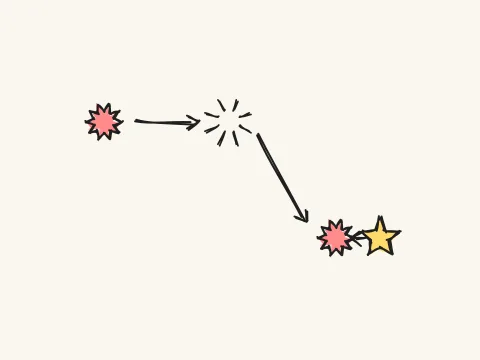
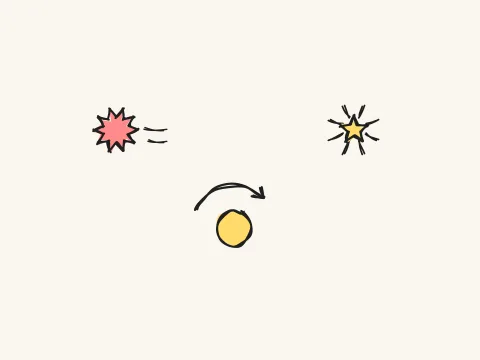
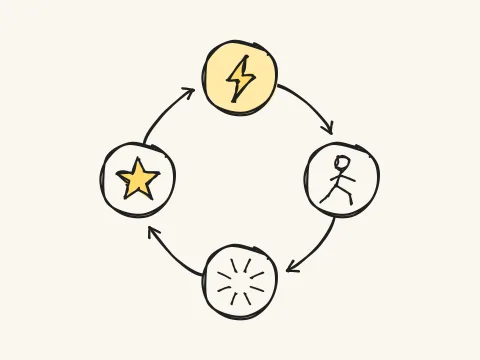
Perception → Action → Immediate Feedback
You keep tapping the screen or keyboard to dodge or hit whatever keeps coming at you — Flappy Bird, Fruit Ninja, and Geometry Dash all run on this rhythm.
Eyes on the screen, fingers on instinct; every input lands an instant result — dodge and you keep going, miss and you restart. Not a second to breathe.
This is the underlying structure of every action game — tune the "input → feedback" loop well, and the feel of any action play has its foundation.
Instant Playable Demo
The Action‑Reaction pattern focuses on the real‑time feedback between player input and the game world. Its core is that players control one or more entities through continuous, high‑frequency actions (clicks, swipes, key presses) to dodge obstacles, hit targets, or perform rhythmic moves in a dynamic environment. The underlying structure typically includes input sampling, entity state updates, physics or pseudo‑physics calculations, collision detection, and scoring or survival resolution. Designers must balance input latency against collision tolerance: too low latency feels "stiff," while too high latency erodes immediacy. Likewise, the balance between obstacle density and the player’s skill curve is crucial; excessive density can sap a sense of progression, while sparse density reduces challenge. Speed increases and flow are a double‑edged sword—accelerating too quickly can turn flow into anxiety. Notably, a moderate input lag can actually enhance anticipation by giving players a clearer time window to adjust actions, thereby sharpening their sense of impending events.
This pattern is used to create tension and flow. It directly translates the player’s reaction speed, anticipation, and precision into gameplay performance, making it one of the most intuitive and accessible play styles. In hyper‑casual and arcade titles, the action‑reaction pattern essentially constitutes the entire experience.
Mastering the action‑reaction pattern means understanding key design dimensions such as input lag, collision tolerance, and difficulty curves. It is the best entry point for learning real‑time systems, physics simulation, animation, and feedback synchronization, and it underpins many complex mechanics like platforming, bullet‑hell shooting, and rhythm games.
Core Gameplay System Breakdown
- Provide the shortest feedback loop so players immediately understand what they did
- Create sustained tension through variations in speed, density, and rhythm
- Lower the learning curve with simple single‑finger/single‑key controls
- Understand the timing relationships between input sampling, frame updates, and rendering
- Master collision boxes, hit detection, and tolerance design
- Design scalable speed/density difficulty curves
- The player controls a movable entity
- Obstacles or targets continuously spawn in the scene
- Collisions/hits trigger immediate feedback (score, failure, visual effect)
- Game speed or obstacle density increases over time
Common Combos & Variants
Advanced Design & Algorithms (collapsed)Click to expand
- Excessive input lag or overly strict collision detection can quickly turn players away
- Purely random obstacles may create unsolvable situations; introduce controllable generation algorithms
- Rapid speed increases can turn flow into anxiety; monitor difficulty pacing
- Fixed‑timestep physics updates independent of frame rate
- AABB / circle collision detection and spatial partitioning optimization
- Procedural obstacle generation and difficulty curve control
// Fixed-step updates; pressure ramps over time (speed steps × density slope)
const STEP = 1000 / 60;
const ramp = 1 + Math.min(t / 18, 2.2);      // +1 every 18s, capped at 3.2x
spawnT -= dt;
if (spawnT <= 0) {
  spawnT = (0.7 / density) / ramp;            // shorter interval = higher density
  bullets.push({ vy: baseSpeed * (0.7 + ramp * 0.3) });
}